Artificial intelligence is rapidly moving from the cloud to our personal devices. Instead of relying on remote servers, many smartphones and computers now run on-device AI, meaning the processing happens directly on the hardware you’re using. This approach can improve privacy, reduce latency, and allow features to work even without an internet connection.
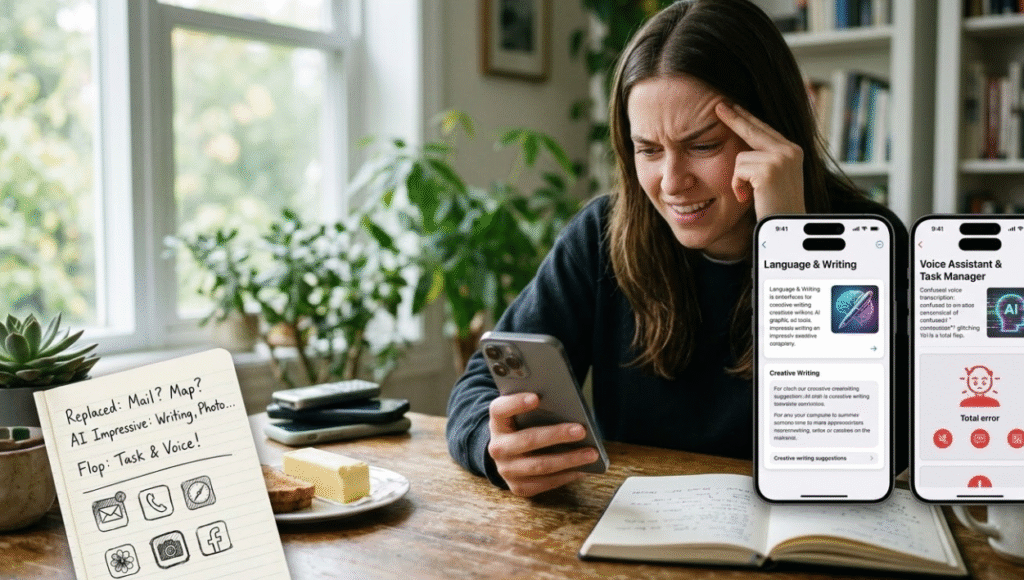
Curious about how effective these tools really are, one experiment involved replacing everyday apps with AI features that run locally on the device. The goal was to see whether on-device AI could truly replace the apps people rely on daily for tasks like writing, organizing, or editing photos.
The results were mixed. Some AI tools worked surprisingly well and handled tasks efficiently. Others, however, showed clear limitations that revealed how early this technology still is.
Why On-Device AI Is Gaining Attention
Tech companies are investing heavily in on-device AI because it offers several advantages over traditional cloud-based AI systems. When AI processing happens locally, data doesn’t need to be sent to external servers. This can improve privacy and reduce delays when generating results.
Researchers note that modern mobile apps increasingly include built-in AI features for tasks such as speech recognition, translation, and image processing. These capabilities are designed to make apps smarter while reducing dependence on internet connections.
For users, this means AI tools that respond faster and may keep personal data more secure. It’s one reason companies like Apple, Google, and Samsung are integrating more AI features directly into their devices.
AI Writing and Productivity Tools
One category where on-device AI performed well was writing and productivity assistance. AI features designed for summarizing notes, drafting messages, or organizing ideas were often capable enough to replace traditional productivity apps for basic tasks.
These tools could quickly summarize long text, generate quick replies, or help structure writing projects. In many cases, the speed advantage of running AI locally made the experience feel smooth and responsive.
However, they still struggled with complex reasoning or advanced editing. While useful for quick tasks, they didn’t always match the depth of full-featured productivity apps that rely on more powerful cloud-based models.
Creative AI Tools That Surprised Users
Another area where on-device AI performed better than expected was creative editing, particularly photo and image tools. AI-powered editing features can automatically adjust lighting, remove unwanted objects, or enhance images without requiring complicated manual editing.
Because these tools run directly on the device, they process images quickly and don’t require uploading photos to external servers. This makes them convenient for quick adjustments and everyday photo editing.
For casual users who just want to improve pictures for social media or personal use, these AI features often worked just as well as standalone editing apps.
The Feature That Fell Short
Despite several successes, not every AI replacement worked well. One particular AI feature intended to replace a traditional app turned out to be a disappointment.
The tool struggled with accuracy and reliability, sometimes producing inconsistent results. Tasks that should have been simple took longer than expected, and the output often required manual corrections.
This highlights one of the biggest challenges facing on-device AI: limited computing power. While local processing is faster and more private, it also means the AI must run on smaller models compared with cloud systems. Those smaller models can sometimes produce weaker results.
What This Experiment Reveals About AI’s Future
Experiments like this show both the promise and the limitations of on-device AI. On one hand, the technology can already handle many everyday tasks effectively, especially those involving simple writing, photo editing, or quick information processing.
On the other hand, more advanced tasks still benefit from cloud-based AI systems that have access to much larger computing resources.
Research into AI apps also shows that user satisfaction often depends on reliability and usefulness. While AI tools can boost productivity, users become frustrated when features fail or produce inconsistent results.
For now, on-device AI works best as a complement to traditional apps rather than a full replacement. As hardware and AI models improve, however, the gap between local and cloud AI may continue to shrink.
You may like: How Do You Stay Connected?
News Source: PCmag.com